

Materials and UVs
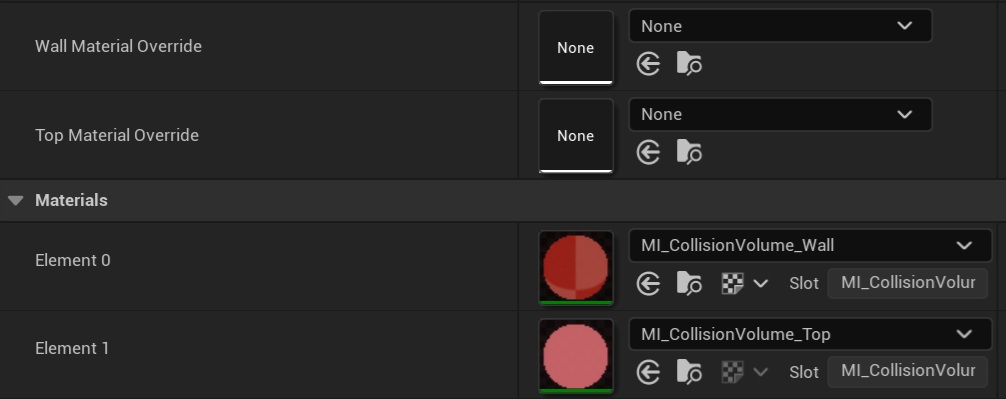
Material slots
Each volume has two material slots:
| Slot | Surface | Per-volume override |
|---|---|---|
| Slot 0 | Walls | Wall Material Override |
| Slot 1 | Top and bottom caps | Top Material Override |
Both default to the per-type material instances shipped in the plugin's Content folder.
UV generation
UVs are generated on every rebuild, so they follow edits live:
- Walls — U runs along the outline, V is height. Textures wrap evenly around every wall regardless of angle, with no stretching on diagonals and no seams through curves.
- Caps — planar XY projection.
- Scale — 1 UV tile = 1 metre, so volumes of any size keep consistent texel density.
No tri-planar needed
Because the UVs follow the surface, a plain Texture Sample on UV0 is enough — no world-aligned/tri-planar projection required.